
On 10th November 2026, OpenAI opened Businesses in ChatGPT in beta. For the first time, a business can claim its own profile inside ChatGPT, correct the details ChatGPT shows about it, and see first-party data on how often it gets mentioned in answers.
I set up the Ninety8 Media profile this week and screenshotted every stage as I went. This guide walks through each screen in the order you'll see it, with the details that tripped me up and the ones OpenAI's own help pages don't spell out. If you run a small business in the UK, it should take you around 20 minutes plus however long your DNS takes to update.
The short answer: go to chatgpt.com/business-hub, search for your business, then claim your listing or create a new one. Verify that you control it by phone, business email, a DNS TXT record or Shopify, then pass an identity check with Persona. Your profile stays a draft until OpenAI approves that check.
| Stage | What you do | What you need |
|---|---|---|
| 1Find | Search Business Hub for your business | A ChatGPT account |
| 2Claim or create | Claim your listing, or create one if you're an online business | Your website address |
| 3Verify control | Add a DNS TXT record, or enter a code sent by text or email | DNS access or a mobile number |
| 4Add details | Category, description, phone, email, delivery policy | A written description |
| 5Verify identity | Complete the Persona ID check | Government ID and business registration details |
| 6Track | Check Insights in Business Hub and ChatGPT traffic in GA4 | GA4 access |
What is a ChatGPT business profile?
It's a verified listing for your company that people can open when ChatGPT mentions you in an answer. It holds your name, category, description, website, contact details and, for businesses that sell products, a product catalogue. The closest comparison is Google Business Profile, built for AI answers.
You manage it in Business Hub, which lives at chatgpt.com/business-hub and in the ChatGPT sidebar. Business Hub does three jobs: it holds your profile, it takes product feeds if you sell physical products, and it reports Insights on mentions, website clicks and the topics you come up in.
There's one thing I'd want every business owner to understand before they start. OpenAI's help centre states that claiming a profile doesn't change its visibility, and that ChatGPT recommendations aren't guaranteed. A profile gives you control over your details and a way to measure what's happening. Whether ChatGPT recommends you still comes down to what the rest of the web says about you, which is why your website content, reviews and directory listings matter as much as they ever did.
What do you need before you start?
Get these ready first and the whole process runs without stopping:
A ChatGPT account you're happy to own the profile from. If you're a business owner, use your own account and give your agency access later. OpenAI lets the claim admin add teammates or grant agency access, and each person needs their own ChatGPT account.
Access to your domain's DNS settings, or the person who manages them. This is wherever your domain is registered (Squarespace, GoDaddy, 123 Reg, Cloudflare and so on).
A mobile number that can receive texts. ChatGPT sends a verification code to the number you add as your contact phone.
A government-issued ID for the final identity check, plus your business registration details and proof that you're authorised to represent the business. OpenAI says you may need all three.
A short, specific description of what you do, who for and where. Write it before you start so you're not drafting it in a form field.
A note on eligibility for UK businesses. OpenAI's help centre says you can create a new profile if you run an eligible online business, while local stores and restaurants can currently only claim an existing US listing. I set up Ninety8 Media as a UK online service business without any problems. If you run a café, shop or venue in the UK, you may find the physical location route isn't open to you yet.
How do you set up a ChatGPT business profile?
Step 1: Open Business Hub. Sign in to ChatGPT and go to chatgpt.com/business-hub. You'll land on a page headed "Reach new customers and grow your business with ChatGPT" with a single search bar.
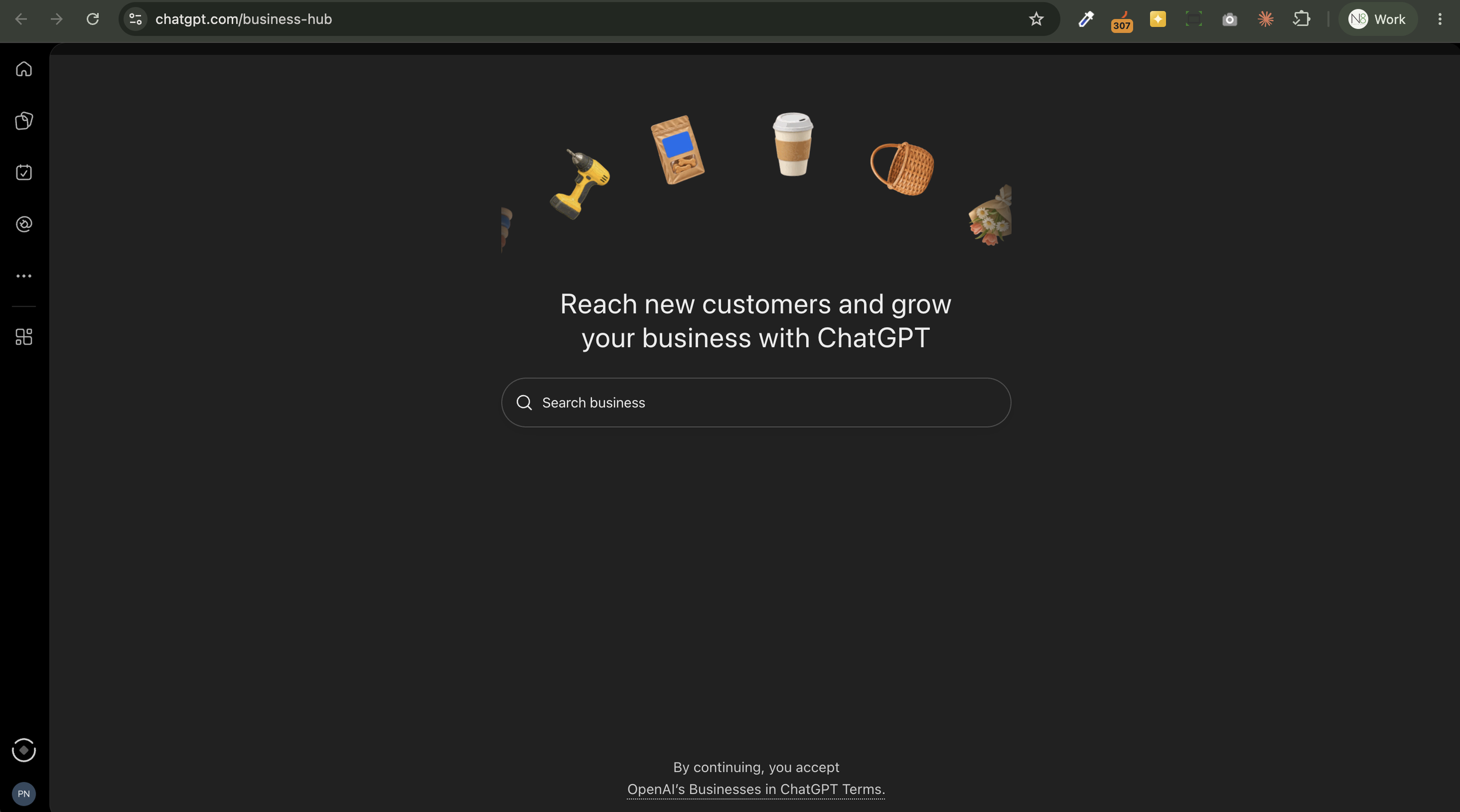
The Business Hub landing page at chatgpt.com/business-hub.
Step 2: Search for your business. Type your business name. ChatGPT shows any existing listings it holds, along with an option to create a new one. When I searched for Ninety8 Media, it suggested Ninety2 Media, Ninja Media, Ninety 6ix and Captive8 Media, none of which are us. Check the name and address carefully before you claim anything. If your business is there, claim that listing. If it isn't, choose Create.
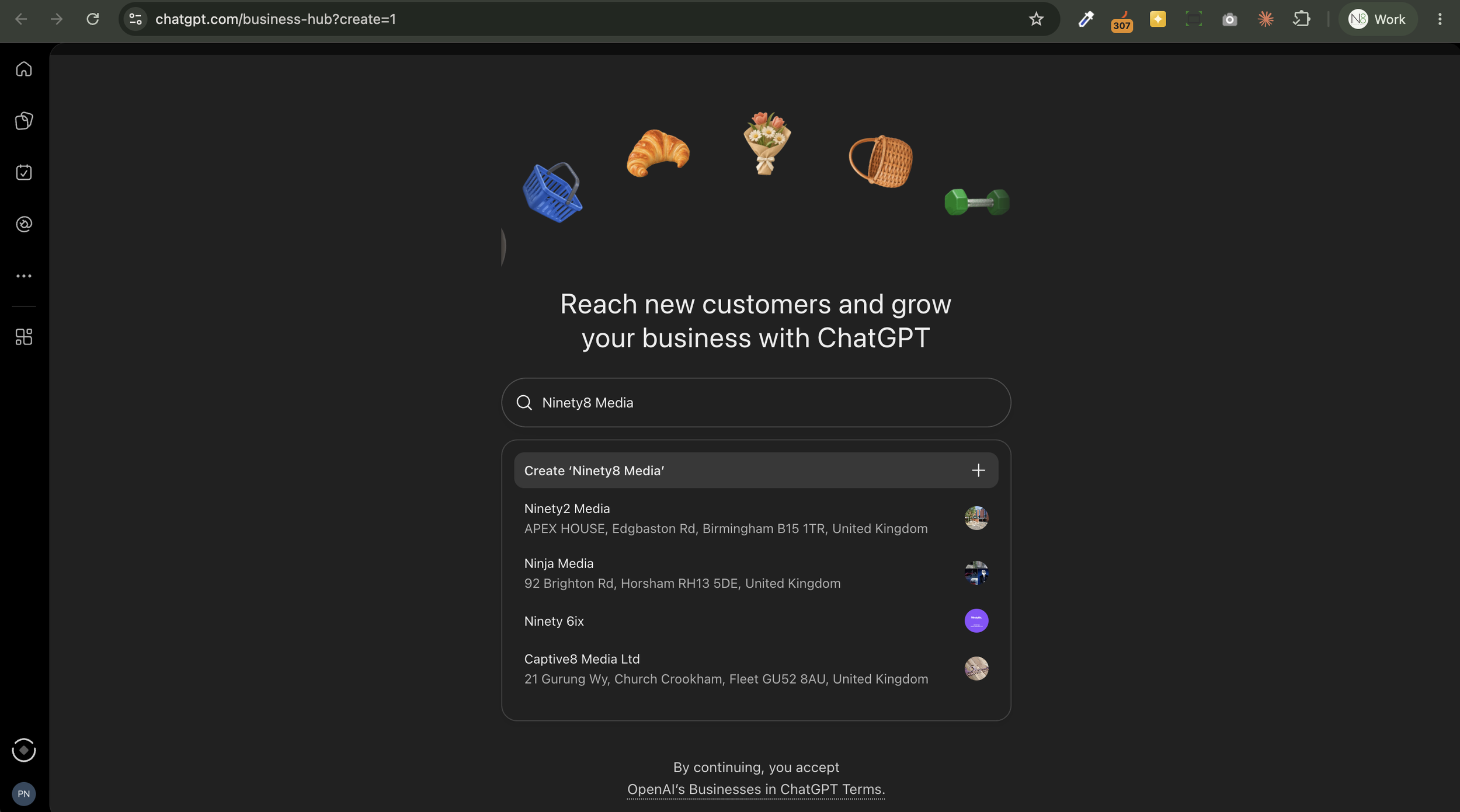
Search results showing lookalike listings and the option to create a new profile.
Step 3: Choose how customers interact with you. You'll be asked whether customers visit a physical location or buy through a website. Two other UK and US guides report being put on a waiting list after choosing the physical location route, so only pick it if customers come to your premises. For a service business that works with clients online and doesn't have premises open to the public, choose Through a website.
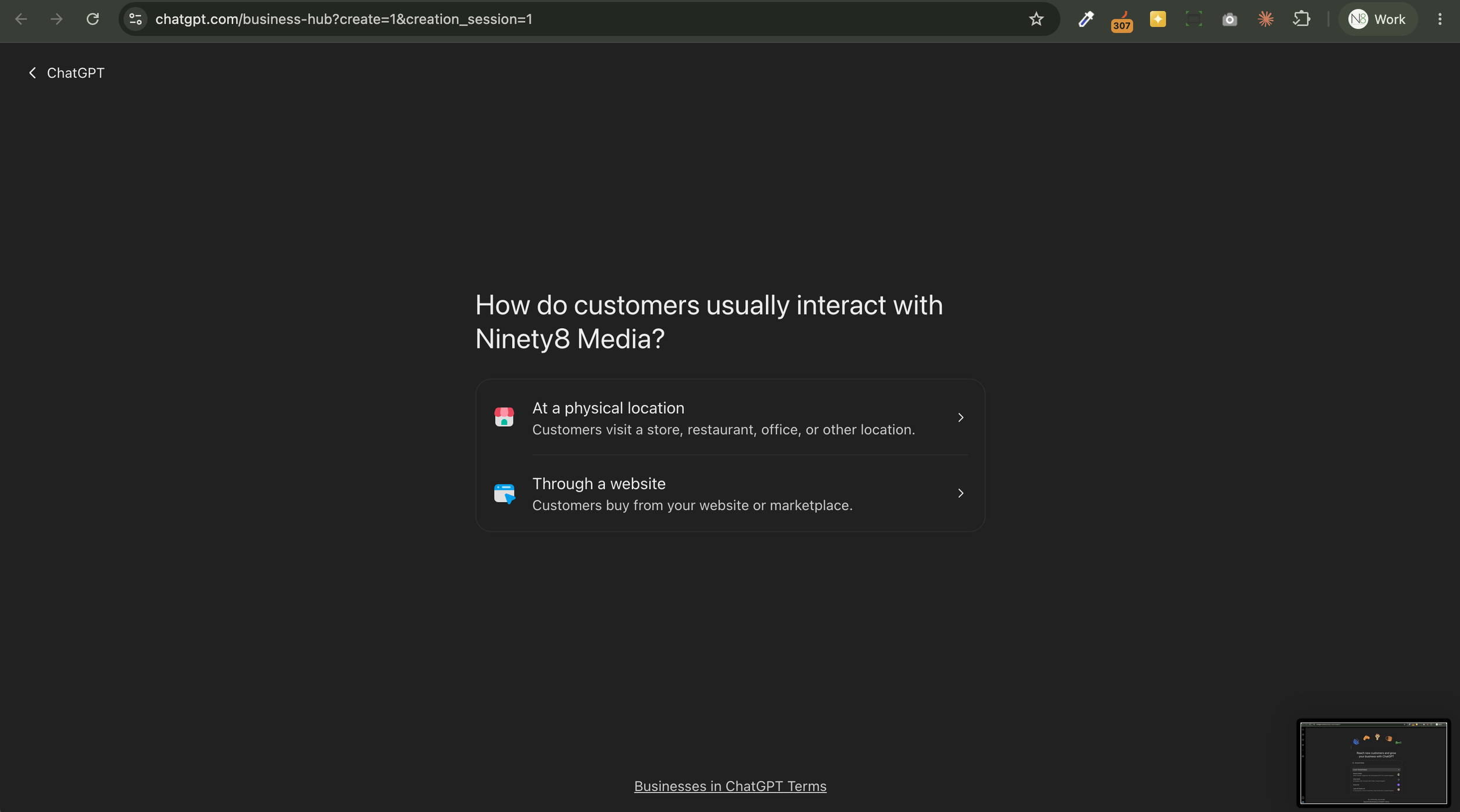
Choosing between a physical location and a website.
Step 4: Add your website. Enter your domain. A preview card appears on the right and fills in as you go, which is useful for checking how the profile will look.
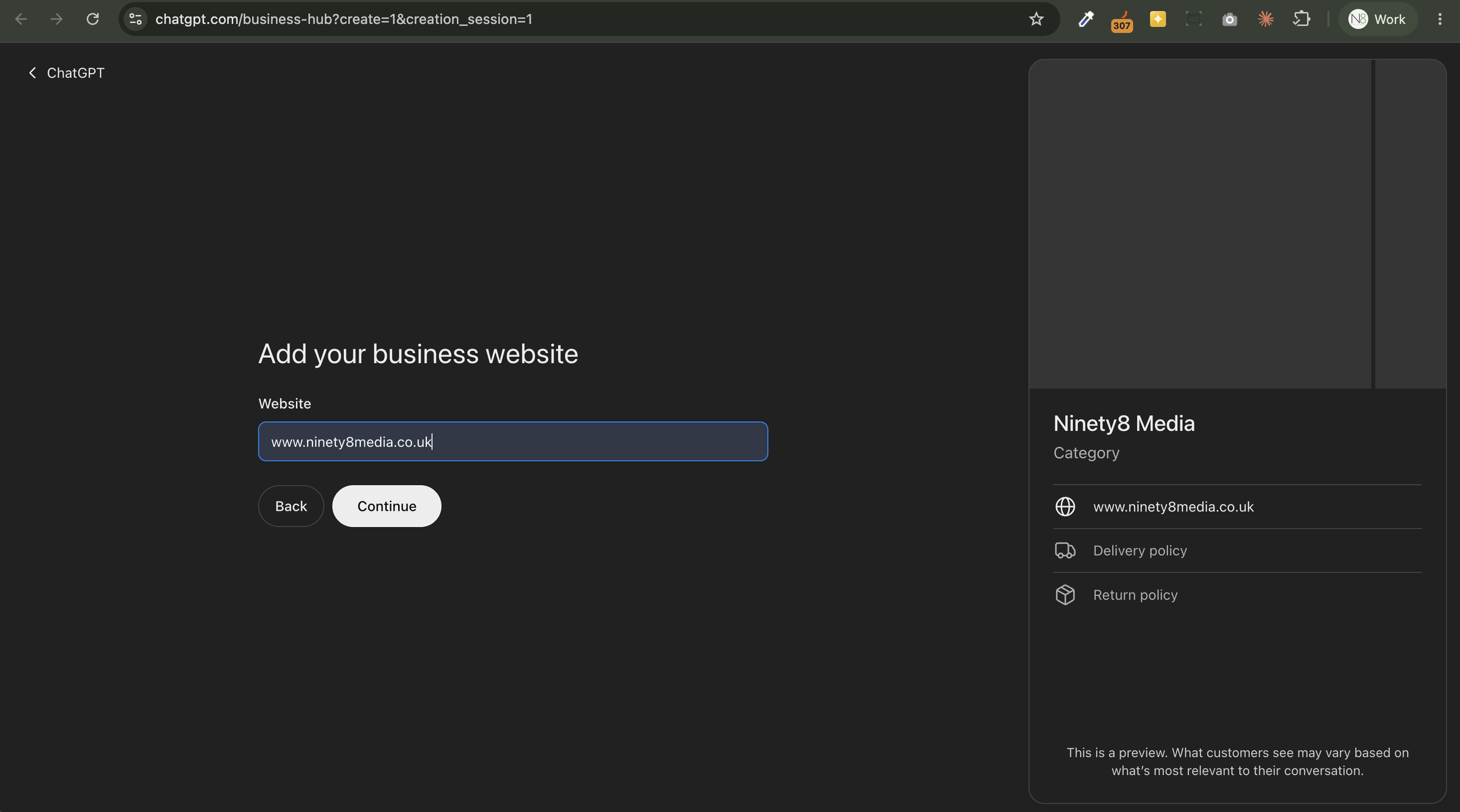
Adding the website, with the profile preview on the right.
Step 5: Verify your domain with a TXT record. This is the step most people will need help with. ChatGPT gives you three values to add to your DNS: the type (TXT), the name or host (openai-business-profile) and a long value that starts with openai-business-profile=. Copy all three exactly.
Log in to your domain provider, open the DNS settings and add a new TXT record.
In the host field, enter openai-business-profile only. Most DNS panels add your domain to the end automatically, so typing the full openai-business-profile.yourdomain.co.uk can leave you with the domain twice and a record that never verifies.
Paste the value in full, with no spaces at either end.
Check the expiry time shown under the record. Mine gave me 24 hours. Other guides report shorter windows, so read yours rather than assuming.
Before you click Verify domain, check the record is live with a free DNS lookup tool (search "TXT record lookup") or, if you're comfortable with a terminal, dig. If the lookup returns your openai-business-profile= value, you're ready.
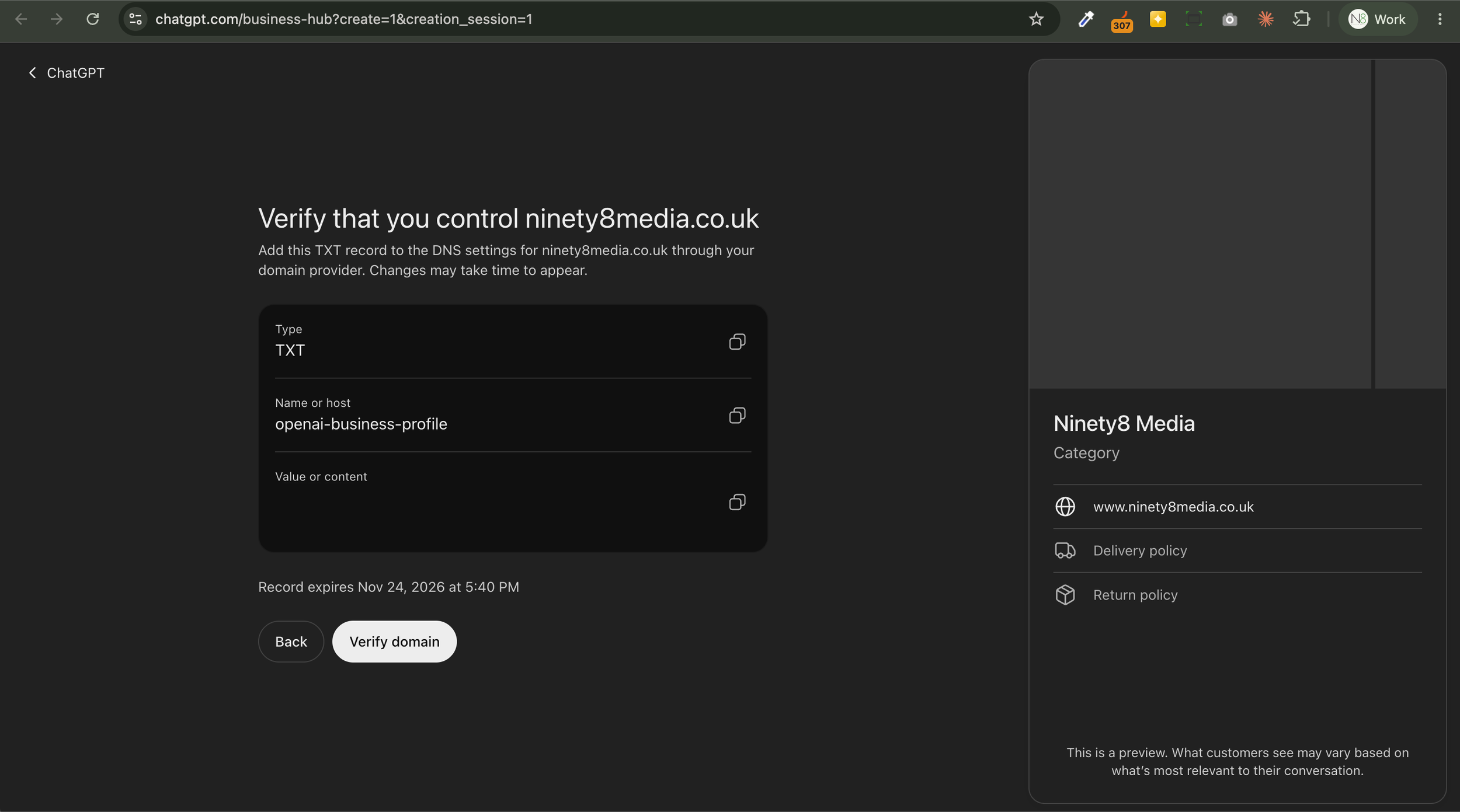
The TXT record to add to your DNS
Step 6: Pick your category and describe the business. ChatGPT suggests a category based on your website. Ours came through as Marketing agency, with Advertising agency offered as an extra. The description field is marked optional, but fill it in. Say what you do, who for and where, in plain language. Ours reads: "Ninety8 Media is an Oxford digital marketing agency founded by Phoebe Nisbet, providing social media, content, SEO, strategy, branding and web design for independent businesses and larger organisations." Every change you make is reviewed against OpenAI's Businesses in ChatGPT policy, so leave out claims you can't back up.
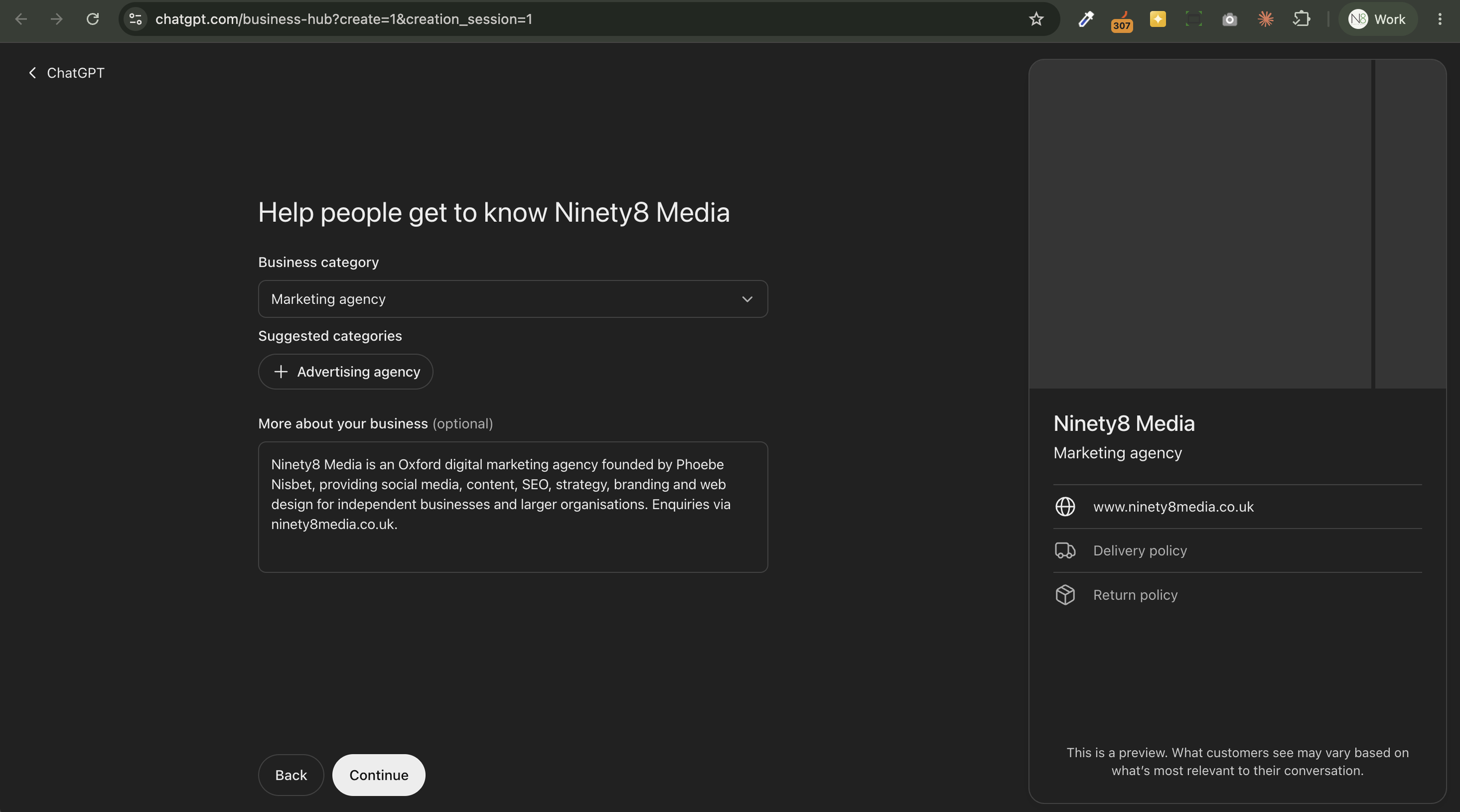
Choosing a category and writing the business description.
Step 7: Add your contact details. Phone and email are both optional, and both appear on your profile. Use a business email address on your own domain where you can, as it matches the domain you've just verified.
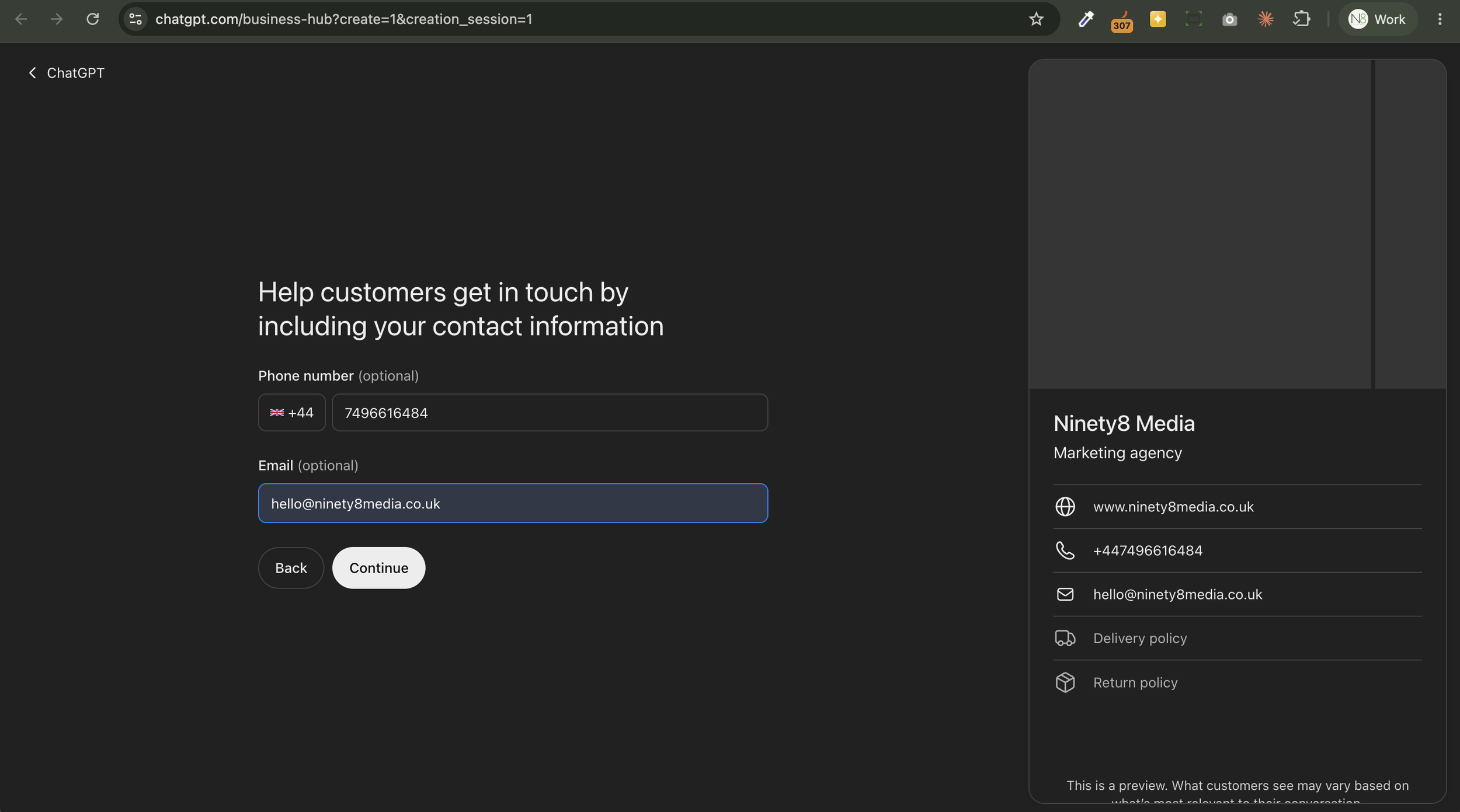
Adding a phone number and email address.
Step 8: Enter the text verification code. ChatGPT texts a six-digit code to the number you added. If it doesn't arrive, there's a resend link after a short countdown, and you can change the number from this screen.
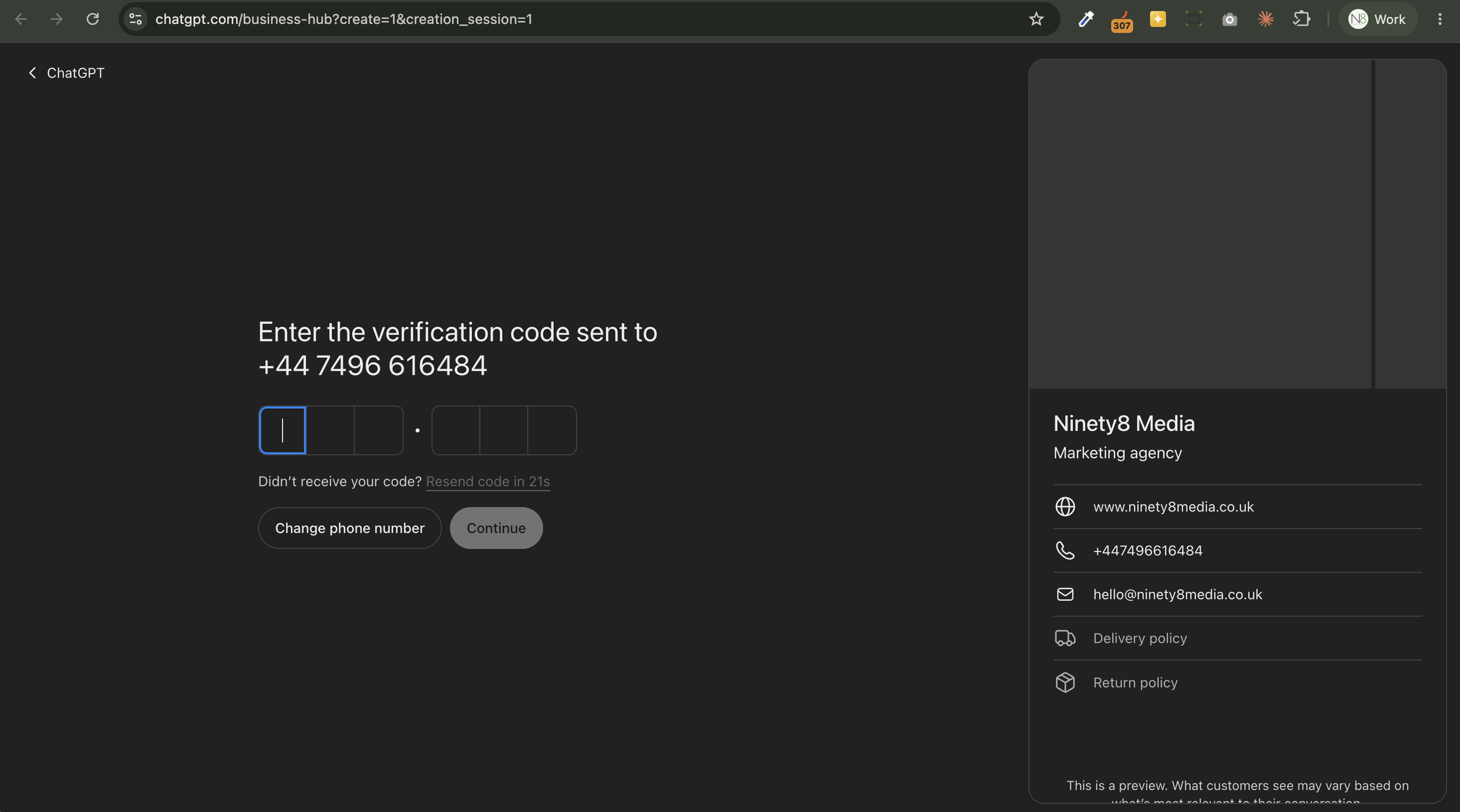
Entering the code sent by text.
Step 9: Answer the delivery question. This flow is clearly built with online shops in mind, so you'll be asked how you offer delivery. If you sell a service, choose We don't offer delivery. Be aware that your profile will then show "Delivery unavailable" and "Returns not accepted", which reads oddly for an agency or consultancy. You can edit the delivery and return policy fields once your identity check is approved.
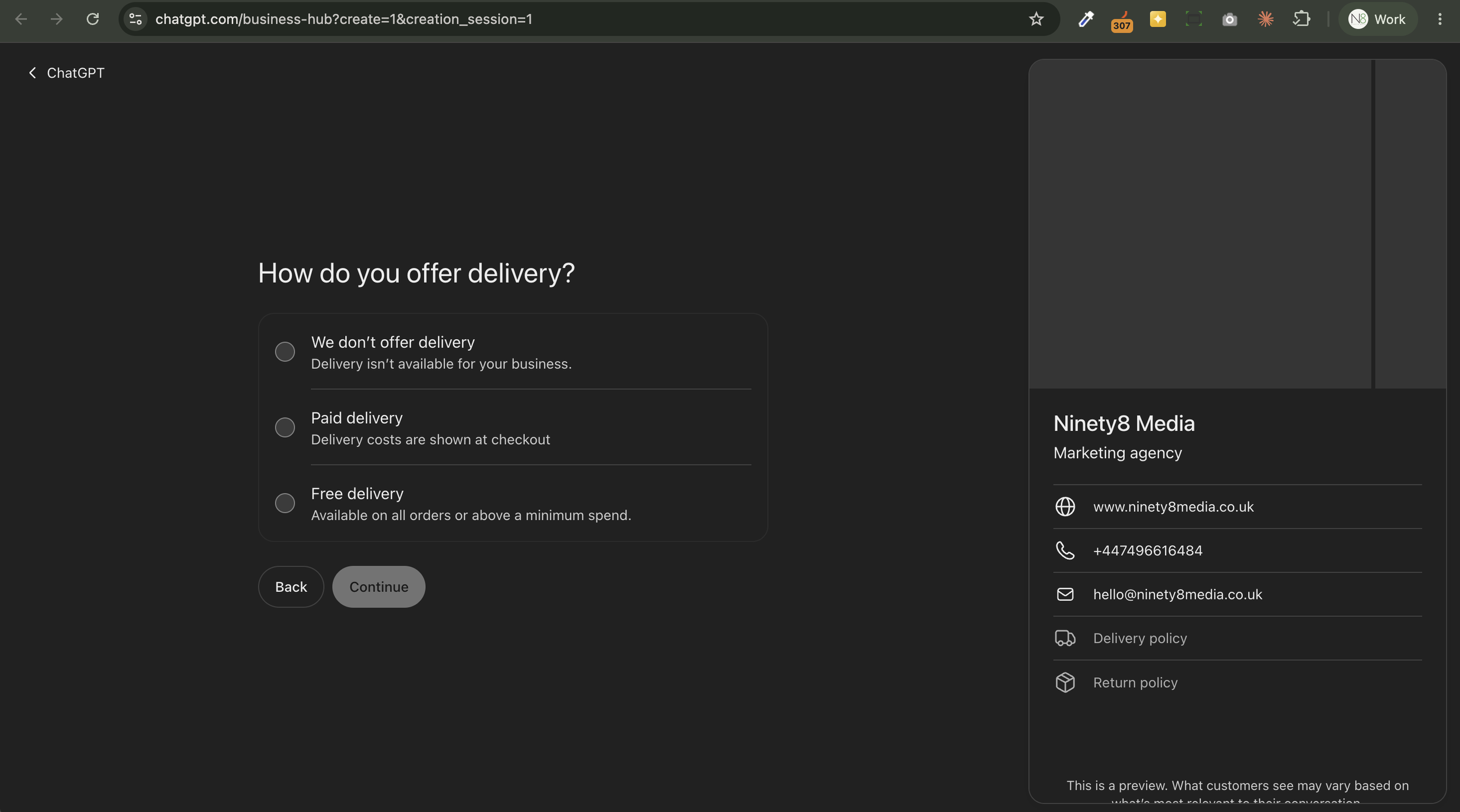
The delivery question, built for online shops.
Step 10: Your draft is created. You'll see a confirmation that your business is saved as a draft, with links to manage it, claim $500 of ChatGPT Ads credit and upgrade to a ChatGPT Business plan. None of those are needed to finish your profile, and the ad credit comes with its own eligibility terms. Click Go to business overview.
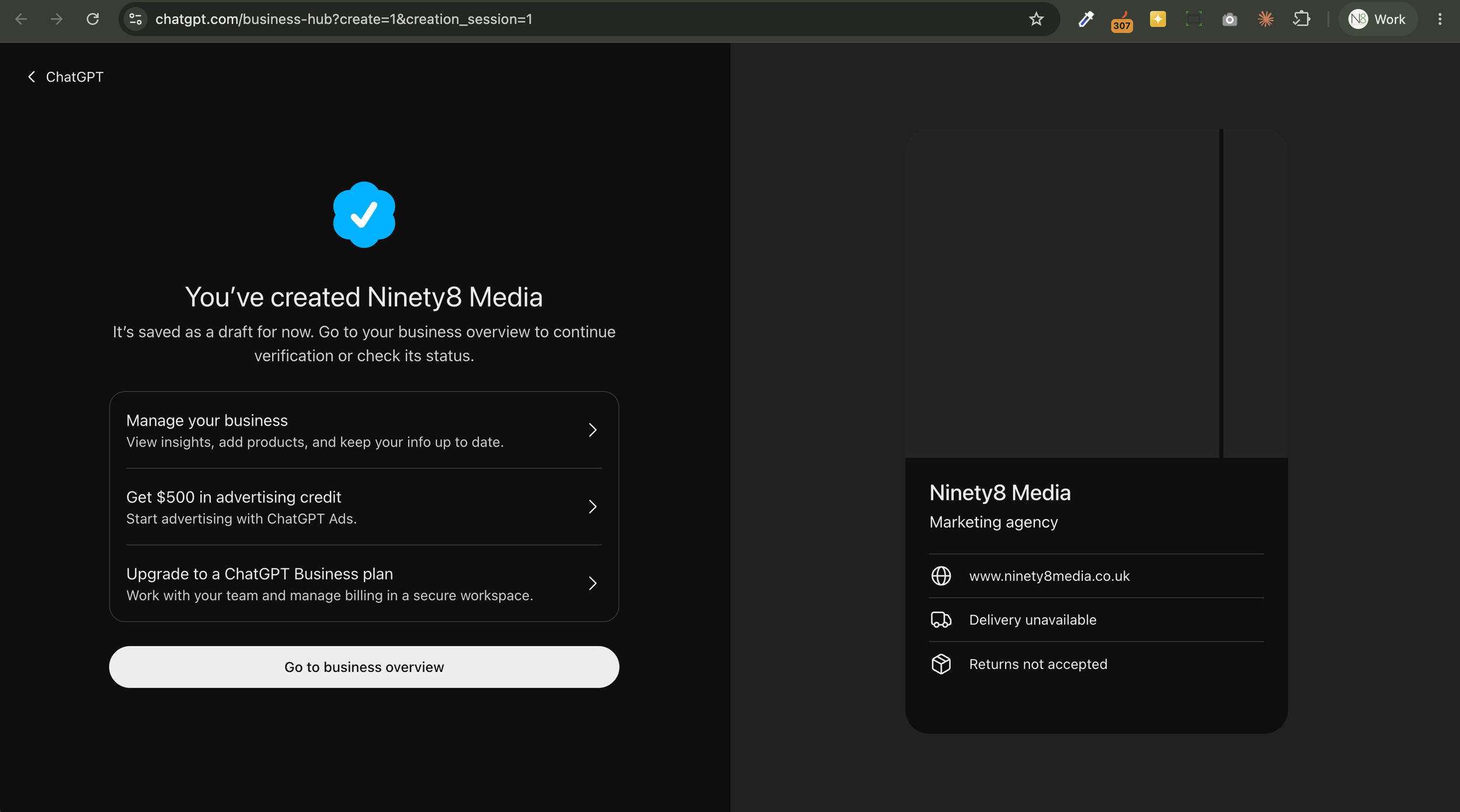
The draft confirmation screen.
Step 11: Verify your identity. The overview page shows your profile marked DRAFT, with a banner asking you to verify your identity with a government-issued ID. Click Verify and follow the prompts. OpenAI uses a third-party service called Persona for this, which gives you a QR code or secure link to finish on your phone, with no app to download. Once you've submitted, you'll see a "Review in progress" message and can close the page.
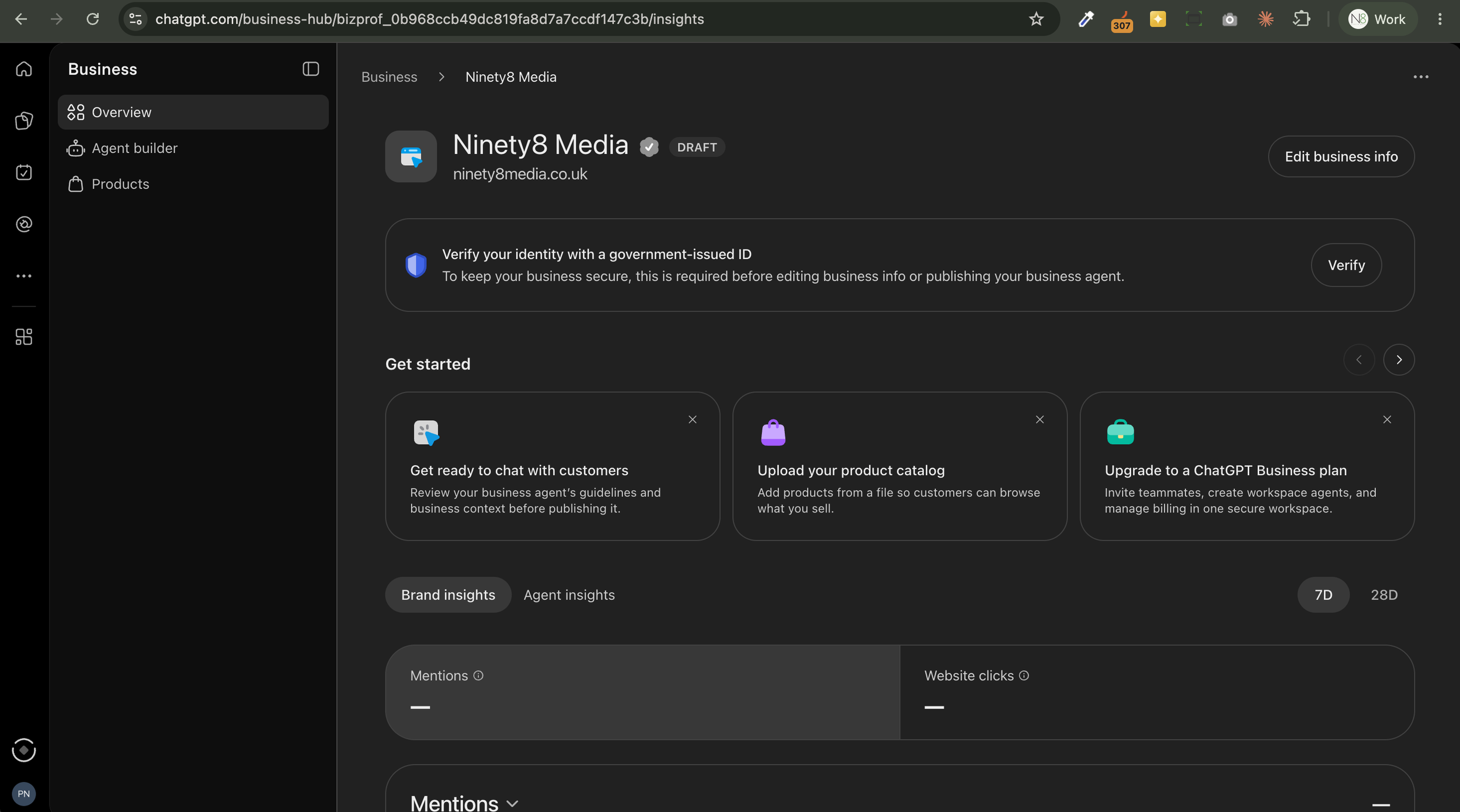
The overview page, with the identity verification banner.
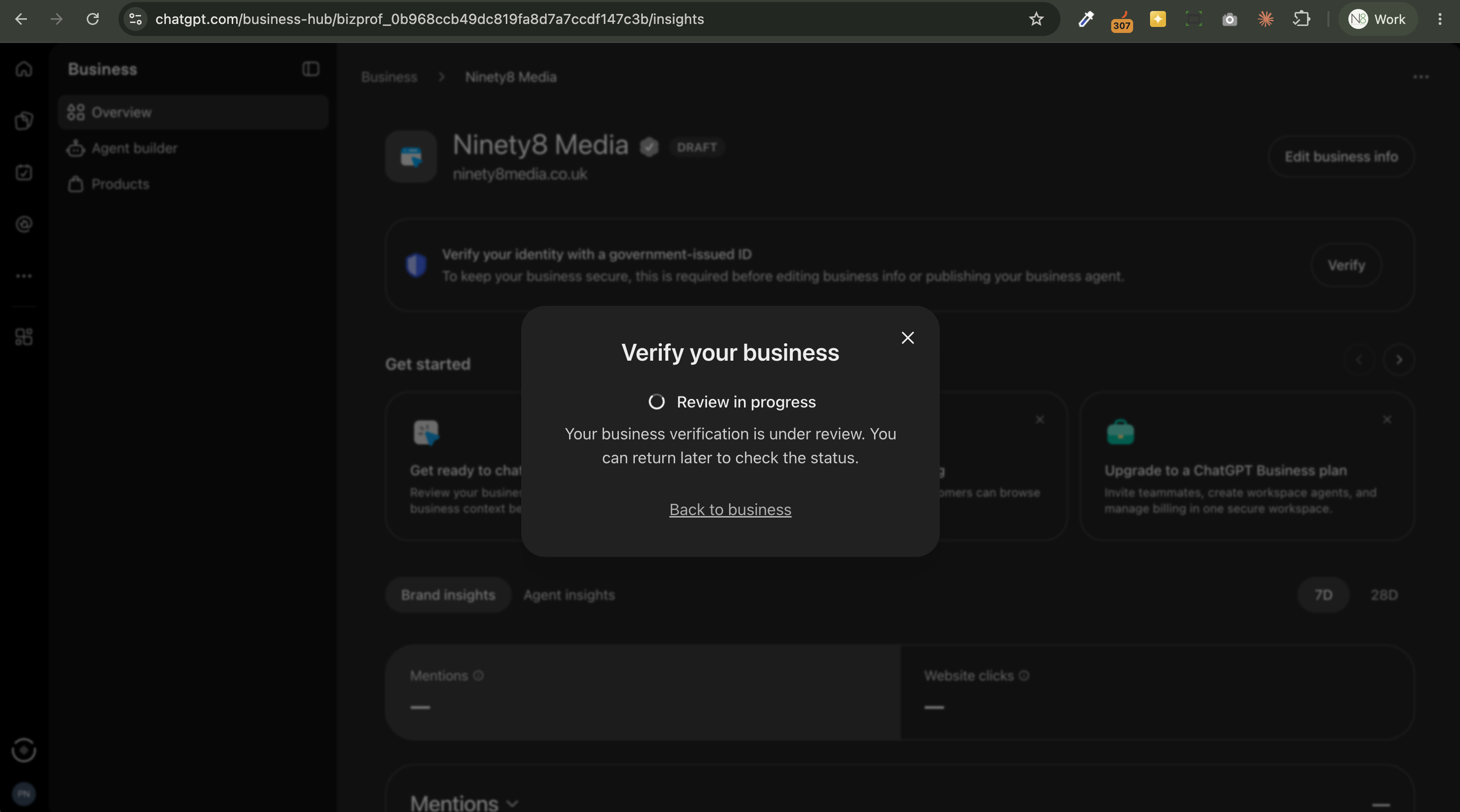
After submitting the ID check, the review is in progress.
What happens after you submit?
Your profile stays a draft until OpenAI approves your identity check, and almost everything useful is locked until then. According to OpenAI's setup guide, Persona approval is what lets you publish profile changes, connect a product feed, view Insights and create a business agent. Submitting your ID doesn't count as approval.
Once you're approved, your profile publishes automatically, with no separate publish button. A blue check badge is added, which a claim on its own doesn't give you. The edit options also open up, covering your website, description, category, logo, cover photo, delivery policy and return policy.
OpenAI doesn't give a timescale for the review. Ours is still under review at the time of writing, and I'll update this post when it comes through. If a check fails or expires, you'll be offered a "Try again" option, and OpenAI advises using details that match your official records exactly.
One point worth knowing before you go ahead: only unpublished drafts can be deleted, from the three-dot menu on the Overview page. OpenAI's help centre says support can't delete, unpublish or hide a profile once it's published.
What do Business Hub Insights show?
Insights is the part of Business Hub I'm most interested in as a marketer, because it's OpenAI's own data. Until now, anyone tracking AI visibility has had to rely on third-party tools that run sample prompts and estimate. The overview page lets you switch between 7 and 28 days, and reports three things:
Mentions. For an online business, a mention only counts when ChatGPT references your website, so your brand name appearing in an answer isn't enough. For local businesses, a mention counts when a location result appears.
Website clicks. How often people click through from ChatGPT to your site.
Discovery topics. The common themes in answers that mentioned or cited you.
You won't see individual prompts or conversations, and discovery topics don't tell you what a person intended to do. A blank metric can mean there isn't enough data yet or reporting isn't available, so a dash on a new profile doesn't necessarily mean zero activity.
In practice, I'd use these numbers alongside the ChatGPT referral traffic in GA4. Website clicks should be broadly comparable with sessions from chatgpt.com, and the discovery topics are a useful prompt for which service pages and blog posts to strengthen.
How do you track ChatGPT traffic in GA4?
Business Hub tells you how many people clicked through from ChatGPT. GA4 tells you what they did once they arrived, which is the number that matters if you're measuring enquiries.
ChatGPT adds utm_source=chatgpt.com to the links it cites, but it doesn't add a utm_medium. That means ChatGPT visits can turn up in more than one place. When the browser passes on the referrer, you'll see chatgpt.com / referral. When it doesn't, a tagged visit can appear as chatgpt.com / (not set) and land in the Unassigned channel. Some visits arrive with no tag and no referrer at all and show up as Direct, so treat whatever GA4 reports as a minimum.
Find your current ChatGPT traffic. Go to Reports, then Acquisition, then Traffic acquisition. Set the primary dimension to Session source / medium and search for "chatgpt".
Check for an AI Assistant channel. Several analytics guides report that GA4 added a default AI Assistant channel in 2026. If your property shows one, check it, but keep looking at Unassigned too.
Build your own channel. In Admin, under Data display, create a custom channel group with a channel called AI referrals. Add a rule where Session source matches the regex chatgpt|perplexity|gemini|claude|copilot, and move it above Referral so these visits aren't counted twice.
Connect it to enquiries. Make sure your contact form submission is set up as a key event, then compare AI referrals with your other channels. A handful of visits that turn into enquiries is worth more than a large number that don't.
Mistakes to avoid
Claiming a lookalike listing. The search results include businesses with similar names. Check the address and website before you claim, because disputing ownership afterwards goes through a separate Persona process.
Entering the full hostname in your DNS panel. If verification keeps failing, look up the record. A host saved as openai-business-profile.yourdomain.co.uk.yourdomain.co.uk is the usual culprit.
Clicking Verify domain before the record has propagated. Check with a lookup tool first. DNS changes can take anything from a few minutes to a few hours.
Setting it up from a freelancer's or agency's own account. If an agency is doing this for you, the profile should still sit on an account the business owns, with the agency added as a teammate.
Writing a vague description. "We help businesses grow" gives ChatGPT nothing to match against. Name your services, your sectors and your location.
Using a phone number you can't receive texts on. The verification code goes by SMS, so a landline or a call-only VoIP number will hold you up.
Expecting an instant ranking boost. OpenAI is clear that claiming doesn't change visibility and that advertising doesn't affect its independent answers.
Why does ChatGPT business verification fail?
Most failures come down to the DNS record or a mismatch on the ID check. Here's what to look at for each stage.
| Problem | Likely cause | What to do |
|---|---|---|
| Verify domain keeps failing | Host saved with your domain twice, or the record hasn't propagated | Look up the TXT record. Re-enter the host as openai-business-profile only, then wait and check again |
| Record still not found after hours | Value pasted with a space, quote marks or a missing character | Delete the record and paste the value again exactly as ChatGPT shows it |
| Record expired | You went past the expiry time shown under the record | Go back a step and start domain verification again to get a fresh record |
| Text code didn't arrive | Number can't receive SMS, or a typo | Wait for the resend link, or choose Change phone number |
| Persona check fails | Details don't match your official records | Use Try again if it's offered, with your name and business details exactly as they appear on your ID and registration |
| Listing already claimed | Someone else holds the claim | Use the more options menu to dispute ownership through Persona |
| Listing is locked | It's under a managed claim process | Use Contact support from the listing |
On the Persona step, use your physical ID document. People on OpenAI's community forum report rejections after photographing an ID on a screen.
What are you agreeing to when you claim your business?
The line under the Business Hub search bar says that by continuing, you accept OpenAI's Businesses in ChatGPT Terms. They're worth ten minutes of your time before you click, and OpenAI has already revised them once, on 18 November 2026. Three points matter most for a small business:
Your listing can exist without you. Section 4.1 lets OpenAI create and display a listing for your business whether or not you claim it, so ChatGPT may already be showing details pulled from elsewhere.
Your basic details are licensed permanently. Section 4.2 gives OpenAI a perpetual and irrevocable licence to display the name, address, contact details, category, opening hours and website you submit. If you run your business from home, think carefully before adding your address.
ChatGPT may phone you. By using Business Hub, you agree that OpenAI's AI assistant can call your business on behalf of ChatGPT users. There's an opt-out if you'd rather it didn't.
I'm not a lawyer, and none of this is legal advice. If you're in a regulated sector such as law or financial services, ask your compliance lead to read the terms first.
How does it compare with Google Business Profile?
They're separate platforms, and most businesses will want both.
| ChatGPT business profile | Google Business Profile | |
|---|---|---|
| Where it appears | ChatGPT answers | Google Search and Maps |
| Online-only businesses | Can create a profile | Not eligible without in-person customer contact |
| UK shops, cafés and venues | Can only claim existing US listings for now | Fully available |
| Verification | Phone, email, DNS record or Shopify, then a Persona ID check | Google's own verification process |
| Data you get | Mentions, website clicks and discovery topics | Views, searches and customer actions |
| Cost | Free | Free |
The first row matters for agencies, consultants and online service businesses. If Google doesn't let you have a profile because you don't meet customers in person, Business Hub may be the first listing platform that will.
Can ChatGPT actually reach your website?
A profile won't help much if ChatGPT's search crawler is blocked from your site. OpenAI's crawler documentation says OAI-SearchBot surfaces websites in ChatGPT search, and sites that opt out of it won't be shown in ChatGPT search answers. OpenAI recommends allowing it in your robots.txt file.
To check yours, go to yourdomain.co.uk/robots.txt and look for a Disallow rule under OAI-SearchBot or under User-agent: *. You can block GPTBot, which collects training data, and still allow OAI-SearchBot, because the two are controlled separately. Changes can take around 24 hours to take effect in ChatGPT search. If your site is on Squarespace or another hosted platform, check the crawler settings for an option that blocks AI crawlers, as it may cover OAI-SearchBot too.
Is a ChatGPT business profile worth it for UK businesses?
For most UK small businesses that sell online or offer a service, yes. It's free, it took me about 20 minutes, and it puts accurate details about your business in front of anyone who clicks through from a ChatGPT answer. The mentions and clicks data alone justifies the time, because there's no other first-party source for it.
Keep your expectations realistic, though. This is a beta, and parts of the flow are clearly designed for ecommerce. Business agents, which let customers chat with ChatGPT about your products and policies, are currently limited to eligible ecommerce and online service businesses in the US. They can't take bookings or complete purchases either.
The businesses that get recommended in ChatGPT will still be the ones with clear, specific websites, consistent listings across the web and plenty of genuine reviews. A profile sits on top of that work and helps you measure it.
Frequently asked questions
Is a ChatGPT business profile free?
Yes. You don't need a ChatGPT Ads account, a paid plan or an Enterprise agreement to claim or create one.
Can UK businesses set up a ChatGPT business profile?
Yes, if you're an eligible online business. We set ours up as an Oxford agency with a .co.uk domain. OpenAI's help centre currently says local stores and restaurants can only claim existing US listings.
How do I verify my business on ChatGPT?
Business Hub offers whichever methods fit your listing, from a code to your business phone or email, a DNS TXT record on your domain or a Shopify login. You then complete an identity check with Persona.
How long does ChatGPT business verification take?
OpenAI doesn't publish a timescale. It reviews the claim and emails you with a decision or a request for more information.
Can my marketing agency set up my ChatGPT profile for me?
Yes. The account that owns the claim can add teammates or grant agency access, and each person signs in with their own ChatGPT account. Don't forward a personal claim invitation to someone else.
Does a ChatGPT profile replace Google Business Profile?
No. They're separate platforms, and Google Business Profile still drives local search and Maps. Keep the details on both identical.
Can I delete my ChatGPT business profile?
Only while it's an unpublished draft. Once it's published, OpenAI support can't delete, unpublish or hide it.
Does ChatGPT already have a listing for my business?
It might. OpenAI's terms allow it to create and display a listing whether or not you claim it, so search Business Hub before you create anything to avoid a duplicate.
Will a ChatGPT business profile improve my Google rankings?
There's no evidence it does. It's a separate platform, and OpenAI says claiming doesn't change your visibility in ChatGPT either.
